Chrome extension· 12 languages· 22 voices
Any video,in your language.

Open a video. Press Translate, then Watch. A natural voice speaks it in your language, with the words on the video, while it plays.

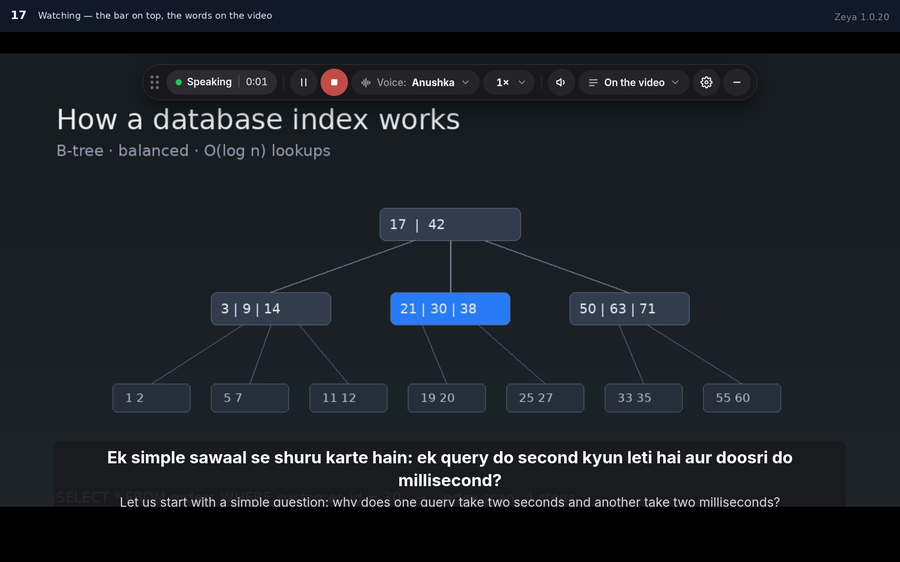
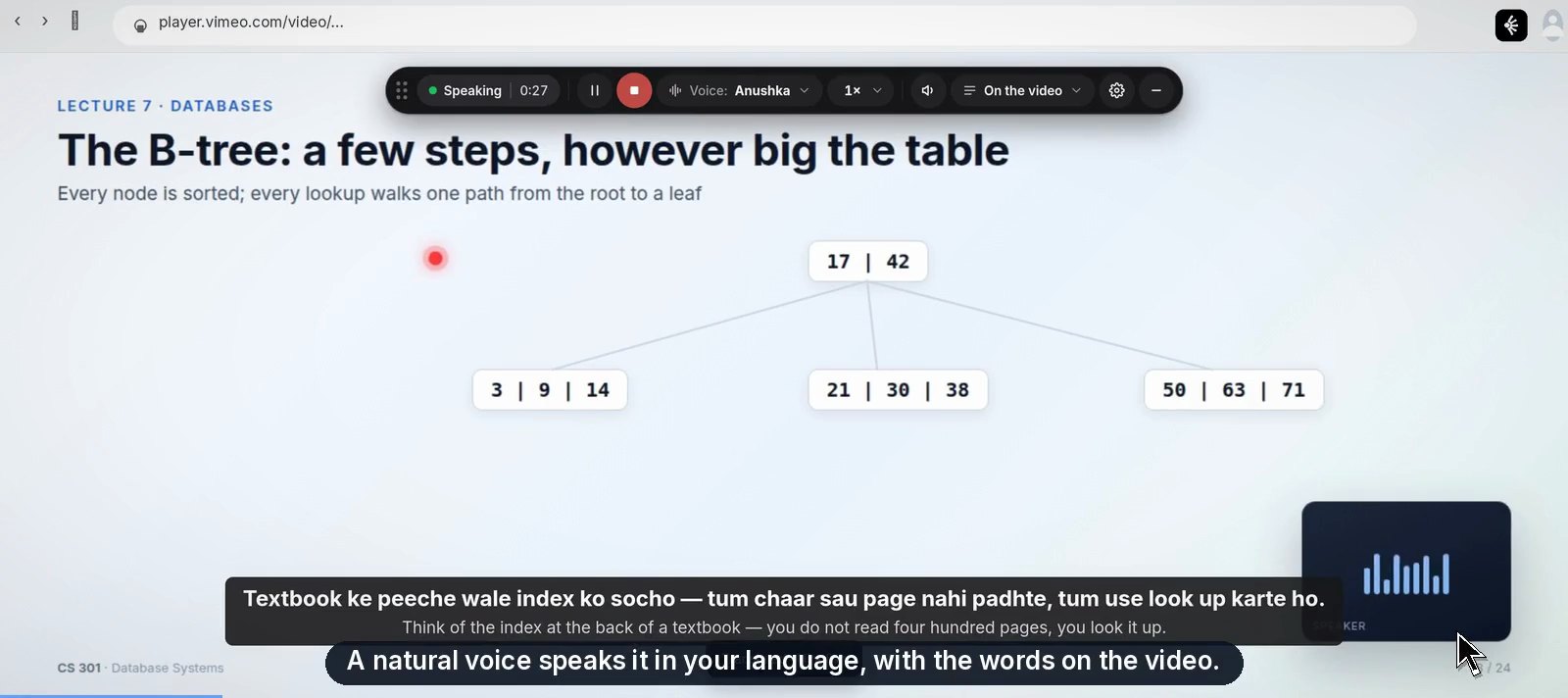
Zeya on a video: the bar at the top, the words in your language on the picture
Nothing to set upAny video, translated in minutesFree until December
A three-hour video. Fast English you can't follow.Pause. Rewind. Pause again. By the second hour you're reading the slides. Press Watch, and it plays in your language.

The same three-hour video played twice
Without Zeya
pause · rewind · pause · hoping
With Zeya
உங்கள் மொழியில்
understood
12 languages, all equalTranslate, then WatchNothing to set up
How it works

Three steps. Then it's just watching.

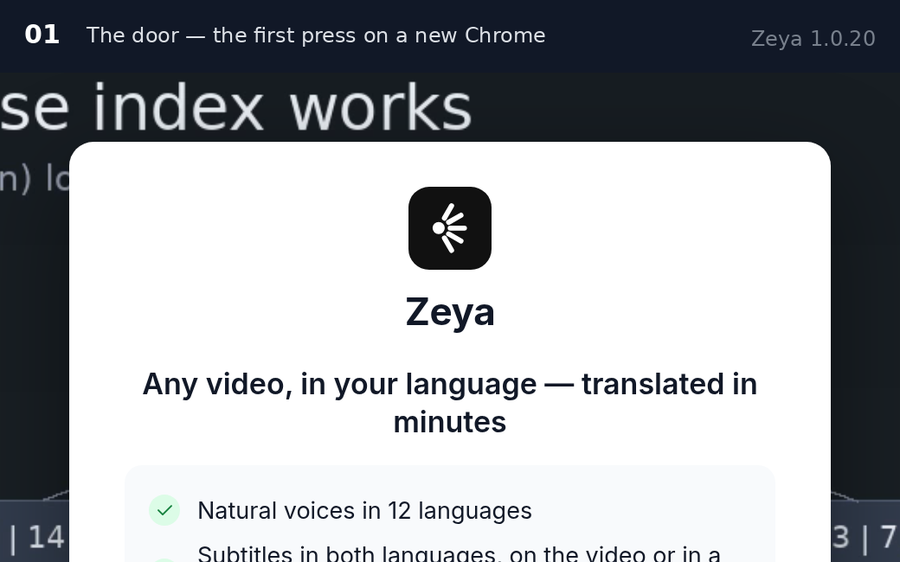
The first press — the Zeya door, Continue with Google
1

Add Zeya to Chrome

Ten seconds. Pin the Zeya icon next to the address bar — that icon is the door.

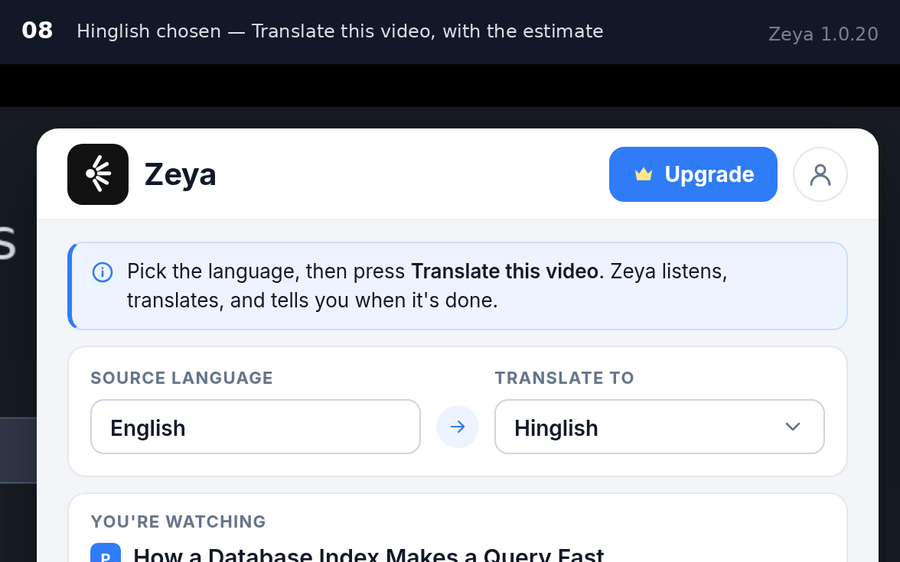
Hinglish chosen — Translate this video, with the time it takes
2

Open a video, press Translate

Pick your language once. Zeya hears the whole video, translates it and says how long it takes — leave the tab, it finishes on its own.

Watching — the bar on top, the words on the video
3

Press Watch

The voice and the words, in your language. Pause, go back, change the voice — from the bar on the video.

A minute of voice is a minute.

Nothing is taken when you press Translate. While the voice plays, a minute is counted for every minute; jump ahead and the minutes you skipped cost nothing; press Stop and the counting stops. Subtitles never cost.

What you get

Built for one thing: understanding a video that wasn't made in your language.

Every screen below is the real extension.

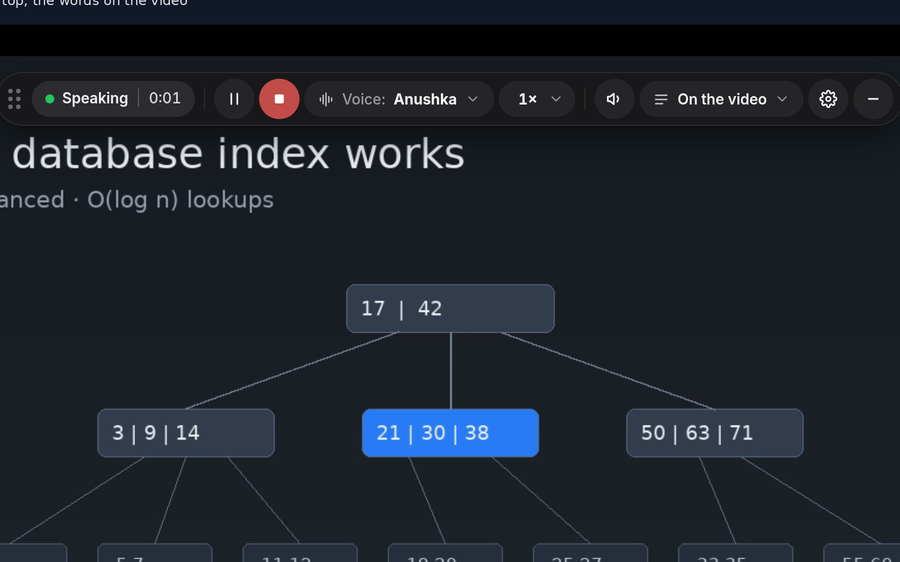
The bar on the video

The bar on the video

Status, Play, Stop, the Voice chip, Speed, the mixer, where the words go, the gear, Minimise. Drag it anywhere. It follows the video into full screen.

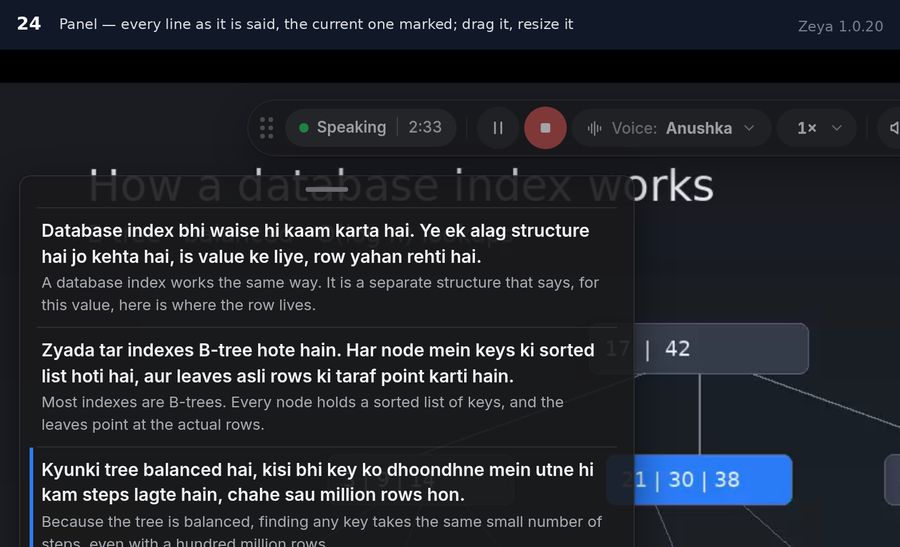
The words, where you want them

The words, where you want them

On the video in both languages, or in a Panel you can move and resize — every line as it is said, the current one marked.

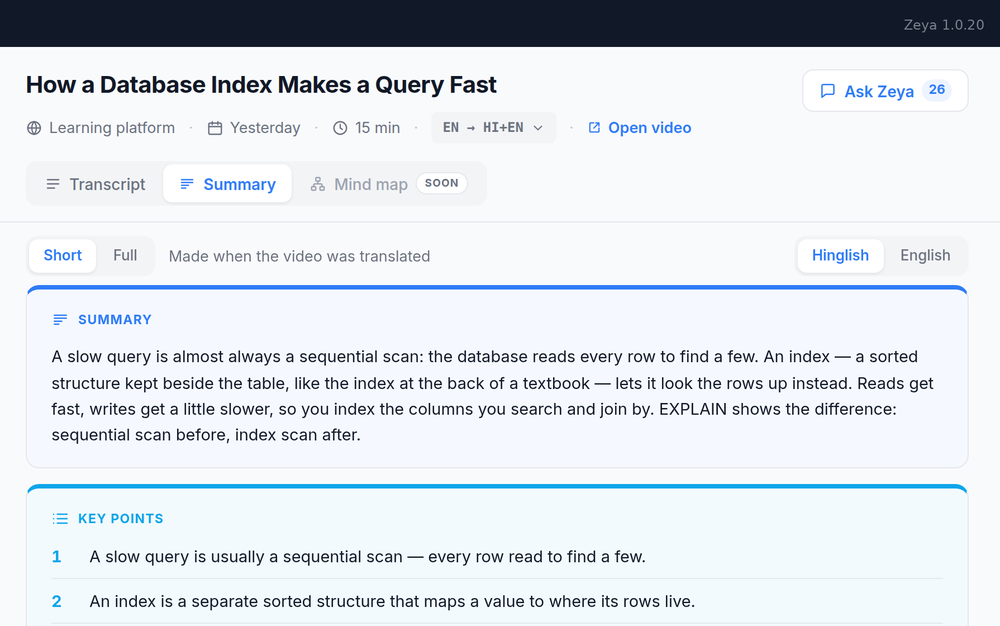
A summary after every video

A summary after every video

Short or full, the key points, the questions to answer and the ones the speaker asked — made with the translation, in your language.

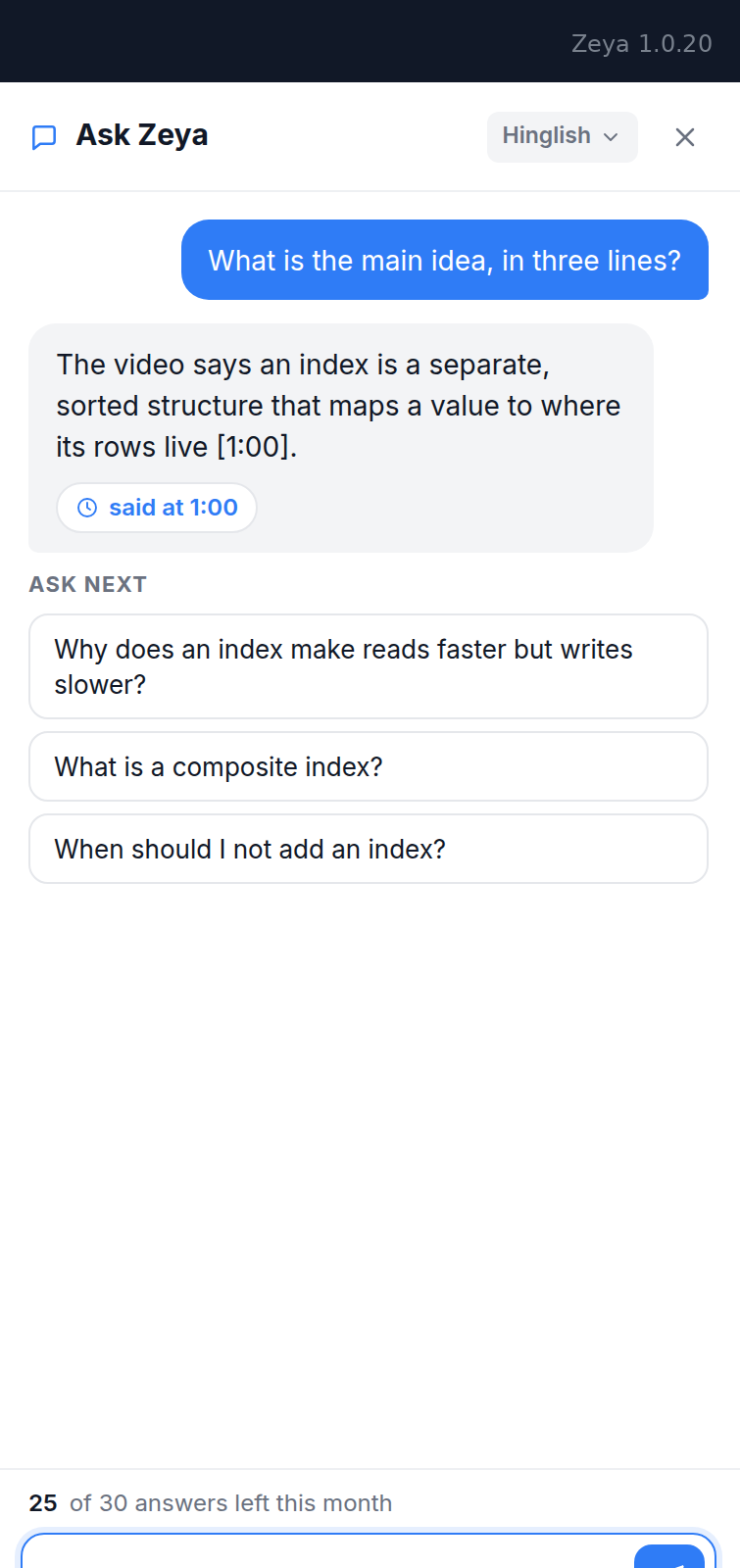
Ask Zeya

Ask Zeya

Ask anything about a video you watched. The answer comes from what was said, with the moment it was said — press it and the transcript opens there.

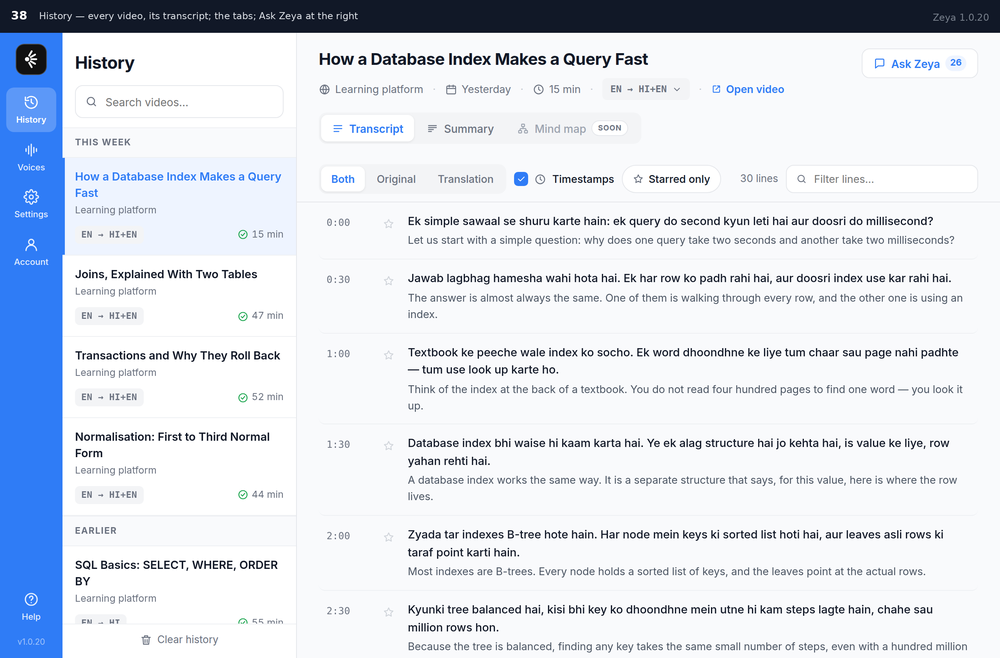
Your History

Your History

Every video you watched, its transcript in both languages, a filter that lights the word you type. It lives in your Chrome, not with us.

It hears the video. Nothing else.

Not your screen, your camera, your other tabs or your browsing. Your History stays in your Chrome. Privacy, in plain words.

Can see

  • The video's sound, while it translates
  • The video's name and address
  • Your email — to know it's you

Never

  • Your screen, camera, microphone
  • Your tabs, your history
  • A list of what you watched
Languages

Twelve languages. None comes first.

Languages are never paid — every plan has all twelve, and both voices for each. More voices and languages arrive with the updates — tell us yours.

BNবাংলাBengali
ENEnglishEnglish
GUગુજરાતીGujarati
HIहिंदीHindi
HI+ENHinglishHindi + English
KNಕನ್ನಡKannada
MLമലയാളംMalayalam
MRमराठीMarathi
ORଓଡ଼ିଆOdia
PAਪੰਜਾਬੀPunjabi
TAதமிழ்Tamil
TEతెలుగుTelugu
Next languagesThe ones people ask for most come first.
AssameseUrduNepaliBhojpuriKonkaniMaithiliSanskritSindhiManipuriSantaliand yours
Which language do you need?Tell us, and you will hear the day it speaks.
One email, when it is ready. Nothing else, ever.
Where it works

Every video, wherever it plays.

One extension for every site with a video. Each tile turns on the day it works.

Vimeoworking today
BBrightspaceworking today
YouTubecoming soon
Courseracoming soon
Udemycoming soon
Khan Academycoming soon
NNPTELcoming soon
Unacademycoming soon
PPhysics Wallahcoming soon
Google Drivecoming soon
Google Meetcoming soon
Zoomcoming soon
MMicrosoft Teamscoming soon
Moodlecoming soon

See all 74 sites — on every continent →

Which site do you watch on?Tell us, and you'll hear the day Zeya works there.
One email, when it is ready. Nothing else, ever.
December

Zeya Live — for a live session

The speaker talks; you hear it in your language, as it happens. In every plan. Leave your email and be the first to know.

About Zeya Live
Questions

Eleven things people ask.

Something else? — in your language, from this site's own pages.

What do I actually do?
Add Zeya to Chrome. Open a video. Press the Zeya icon next to the address bar, pick your language once, press Translate this video, then Watch. Subtitles appear on the video and a voice speaks it in your language. The video's own sound is off while Zeya speaks; one press on the bar brings it back as a murmur between the lines.
Do I need an account?
You continue with your Google account — Google's own chooser, nothing typed into Zeya. The email is used to keep your time and answers; nothing is sent to it unless you write to us. Sign out is on the Account page and asks first. To delete the account, write to support@zeya.dev from that email — the account and its email are gone within 7 days.
Which languages?
Bengali, English, Gujarati, Hindi, Hinglish, Kannada, Malayalam, Marathi, Odia, Punjabi, Tamil and Telugu — twelve, all of them equal, in every plan. If yours isn't there, one line to Contact tells us which language to look at next.
Is it free?
Yes — until December. The plans, Basic, Pro and Max, arrive then, in rupees.
What is Hinglish?
Hindi the way it's actually spoken — with the English words kept where people keep them. "Variable" stays "variable", "exam" stays "exam". For a lot of people it's easier to follow than textbook Hindi. Hindi in Devanagari is there too, if you prefer it.
What happens when I press Translate?
Zeya takes the whole video, hears it, translates it and makes the voice — an hour of video in minutes. Leave the tab; it finishes on its own and the icon shows a tick. Then press Watch, and the voice starts the moment you do.
How is my time counted?
A minute of voice is a minute. Watch 49 minutes of a one-hour video and 49 minutes go. Jump ahead and the minutes you skipped cost nothing. Press Stop and the counting stops. Subtitles never cost anything. Nothing is taken when you press Translate.
How does the voice sound?
Like a person, not a robot. Two voices for every language, a woman and a man, made for that language's rhythm — both free, in every plan. Hear every one of them. Change the voice any time, even halfway through a video.
Does Zeya see what I watch?
Not as a list. Zeya hears the audio of the video and sees its name and address, so History can name it — it keeps no list of who watched what, and never sees your screen, camera, microphone or browsing. The audio is gone the moment it has been heard; only the words, the voice and the summary stay. Your own History lives in your Chrome, not with us. Privacy, in plain words.
Which browsers and devices?
Chrome, on a laptop or desktop — Windows, Mac or Linux. It doesn't run on a phone, because phones don't allow this kind of extension.
Does it work for a live session?
Zeya Live arrives in December, in every plan — the speaker talks, and you hear it in your language as it happens. Leave your email on the Live page and you'll hear the day it's ready.

Free until December.

Every account is on the Basic plan — ten hours of voice a month, both voices, the summary and Ask Zeya. The plans, Basic, Pro and Max, arrive in December.